
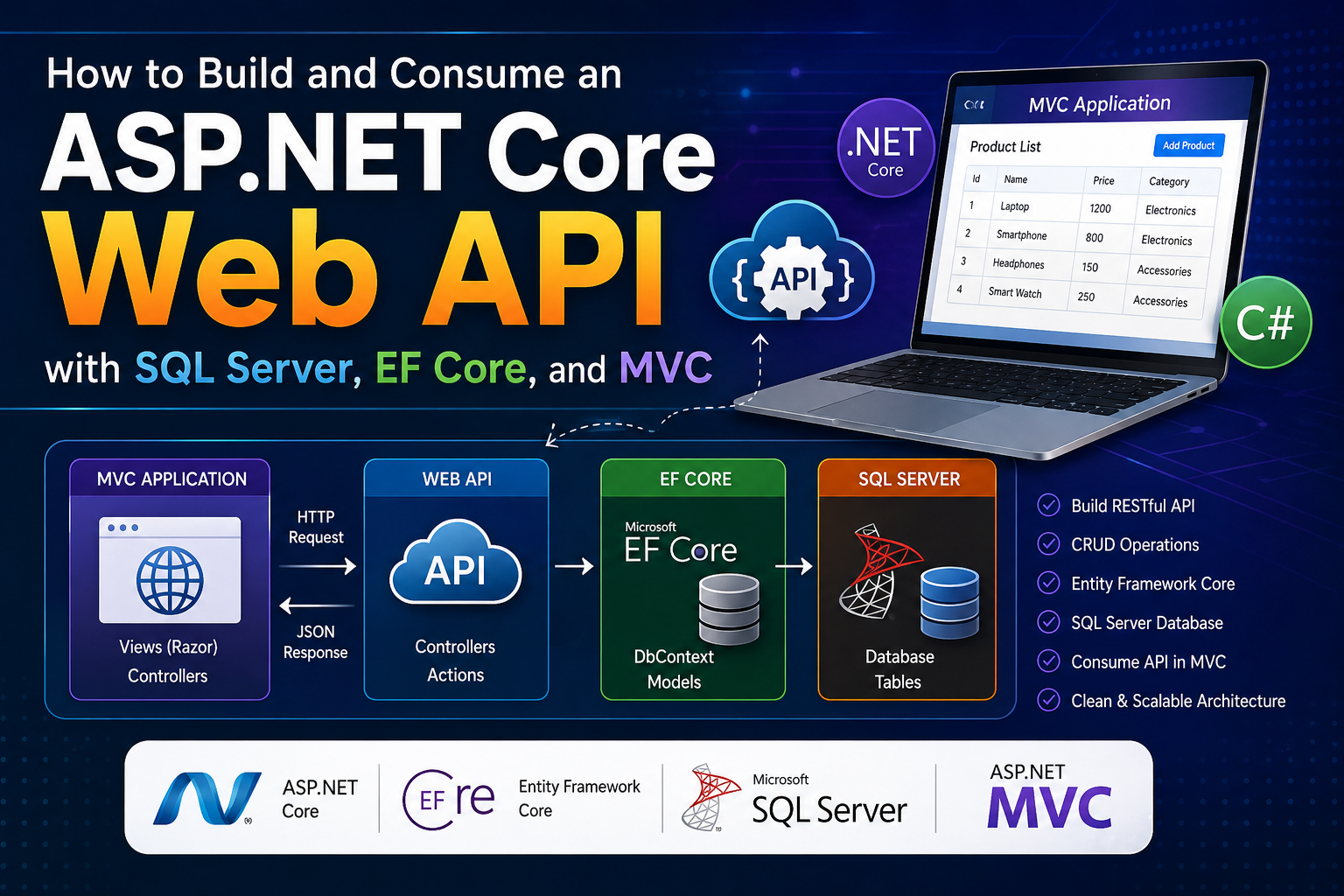
Learn how to create a complete ASP.NET Core Web API for study and practice, store records in SQL Server using Entity Framework Core, create two related database tables, expose REST API endpoints, and consume the API from an ASP.NET Core MVC application using HttpClient.
SEO Information for This Blog Post
This tutorial is optimized for developers who want to learn ASP.NET Core Web API with SQL Server from scratch. It targets informational and practical search intent because the reader wants working code, database tables, API endpoints, and a client application that consumes the API.
| SEO Field | Recommended Value |
|---|---|
| SEO Title | ASP.NET Core Web API with SQL Server: Complete Tutorial |
| URL Slug | aspnet-core-web-api-sql-server-tutorial |
| Meta Title | ASP.NET Core Web API with SQL Server Tutorial |
| Meta Description | Build a complete ASP.NET Core Web API with SQL Server, EF Core, two database tables, CRUD endpoints, and an MVC client that consumes the API. |
| Primary Keyword | ASP.NET Core Web API with SQL Server |
| Secondary Keywords | ASP.NET Core API tutorial, EF Core SQL Server CRUD API, consume Web API in MVC, .NET 8 Web API example |
Introduction: Why Learn ASP.NET Core Web API with SQL Server?
ASP.NET Core Web API is one of the most important skills for modern .NET developers. Most real-world applications are not built as one single server-rendered website. Instead, modern systems usually have a backend API, a database, and one or more client applications.
In this tutorial, you will build a simple but complete study project. You will learn how data is stored in SQL Server, how Entity Framework Core communicates with the database, how an ASP.NET Core Web API exposes endpoints, and how an ASP.NET Core MVC application consumes those endpoints using HttpClient.
What You Will Build
You will create a study management API with two SQL Server tables:
- Courses table to store course information.
- Students table to store student information.
One course can have many students, and each student belongs to one course. This creates a simple one-to-many relationship.
Project Architecture
The solution uses two different projects. This makes the API concept clear and closer to real-world development.
| Project | Type | Purpose |
|---|---|---|
| StudyApi | ASP.NET Core Web API | Provides API endpoints and communicates with SQL Server. |
| StudyMvcClient | ASP.NET Core MVC | Consumes the API and displays data in Razor views. |
MVC Razor View
    ↓
MVC Controller
    ↓
HttpClient API Service
    ↓
ASP.NET Core Web API Controller
    ↓
EF Core DbContext
    ↓
SQL Server Database
SQL Server Database Design
The database contains two main tables: Courses and Students.
| Table | Columns | Purpose |
|---|---|---|
| Courses | Id, Name, Description, DurationInWeeks | Stores course records. |
| Students | Id, FullName, Email, Age, CourseId | Stores student records and course relationship. |
CREATE TABLE Courses
(
    Id INT IDENTITY(1,1) NOT NULL PRIMARY KEY,
    Name NVARCHAR(100) NOT NULL,
    Description NVARCHAR(500) NULL,
    DurationInWeeks INT NOT NULL
);

CREATE TABLE Students
(
    Id INT IDENTITY(1,1) NOT NULL PRIMARY KEY,
    FullName NVARCHAR(150) NOT NULL,
    Email NVARCHAR(150) NOT NULL,
    Age INT NOT NULL,
    CourseId INT NOT NULL,

    CONSTRAINT FK_Students_Courses_CourseId
    FOREIGN KEY (CourseId)
    REFERENCES Courses(Id)
    ON DELETE CASCADE
);
Step 1: Create the ASP.NET Core Web API Project
First create the API project. This project will expose endpoints and connect with SQL Server.
dotnet new webapi -n StudyApi
cd StudyApi
Step 2: Install EF Core Packages
Install Entity Framework Core SQL Server packages in the API project.
dotnet add package Microsoft.EntityFrameworkCore.SqlServer
dotnet add package Microsoft.EntityFrameworkCore.Tools
dotnet add package Microsoft.EntityFrameworkCore.Design
Step 3: Add SQL Server Connection String
Open appsettings.json in the API project and add the connection string.
{
  "ConnectionStrings": {
    "DefaultConnection": "Server=.;Database=StudyApiDb;Trusted_Connection=True;TrustServerCertificate=True;"
  },

  "Logging": {
    "LogLevel": {
      "Default": "Information",
      "Microsoft.AspNetCore": "Warning"
    }
  },

  "AllowedHosts": "*"
}
For SQL Server Express, use this:
"DefaultConnection": "Server=.\\SQLEXPRESS;Database=StudyApiDb;Trusted_Connection=True;TrustServerCertificate=True;"Step 4: Create Course and Student Models
Models/Course.cs
using System.ComponentModel.DataAnnotations;

namespace StudyApi.Models
{
    public class Course
    {
        public int Id { get; set; }

        [Required]
        [MaxLength(100)]
        public string Name { get; set; } = string.Empty;

        [MaxLength(500)]
        public string? Description { get; set; }

        [Range(1, 104)]
        public int DurationInWeeks { get; set; }

        public List<Student> Students { get; set; } = new();
    }
}
Models/Student.cs
using System.ComponentModel.DataAnnotations;

namespace StudyApi.Models
{
    public class Student
    {
        public int Id { get; set; }

        [Required]
        [MaxLength(150)]
        public string FullName { get; set; } = string.Empty;

        [Required]
        [EmailAddress]
        [MaxLength(150)]
        public string Email { get; set; } = string.Empty;

        [Range(1, 100)]
        public int Age { get; set; }

        public int CourseId { get; set; }

        public Course? Course { get; set; }
    }
}
Step 5: Create ApplicationDbContext
using Microsoft.EntityFrameworkCore;
using StudyApi.Models;

namespace StudyApi.Data
{
    public class ApplicationDbContext : DbContext
    {
        public ApplicationDbContext(DbContextOptions<ApplicationDbContext> options)
            : base(options)
        {
        }

        public DbSet<Course> Courses { get; set; }

        public DbSet<Student> Students { get; set; }

        protected override void OnModelCreating(ModelBuilder modelBuilder)
        {
            base.OnModelCreating(modelBuilder);

            modelBuilder.Entity<Course>(entity =>
            {
                entity.HasKey(x => x.Id);

                entity.Property(x => x.Name)
                    .IsRequired()
                    .HasMaxLength(100);

                entity.Property(x => x.Description)
                    .HasMaxLength(500);
            });

            modelBuilder.Entity<Student>(entity =>
            {
                entity.HasKey(x => x.Id);

                entity.Property(x => x.FullName)
                    .IsRequired()
                    .HasMaxLength(150);

                entity.Property(x => x.Email)
                    .IsRequired()
                    .HasMaxLength(150);

                entity.HasOne(x => x.Course)
                    .WithMany(x => x.Students)
                    .HasForeignKey(x => x.CourseId)
                    .OnDelete(DeleteBehavior.Cascade);
            });

            modelBuilder.Entity<Course>().HasData(
                new Course
                {
                    Id = 1,
                    Name = "ASP.NET Core Web API",
                    Description = "Learn how to build REST APIs with ASP.NET Core.",
                    DurationInWeeks = 8
                },
                new Course
                {
                    Id = 2,
                    Name = "Entity Framework Core",
                    Description = "Learn database access using EF Core and SQL Server.",
                    DurationInWeeks = 6
                }
            );

            modelBuilder.Entity<Student>().HasData(
                new Student
                {
                    Id = 1,
                    FullName = "Ali Khan",
                    Email = "ali@example.com",
                    Age = 22,
                    CourseId = 1
                },
                new Student
                {
                    Id = 2,
                    FullName = "Sara Ahmed",
                    Email = "sara@example.com",
                    Age = 24,
                    CourseId = 2
                }
            );
        }
    }
}
Step 6: Configure Program.cs in API Project
using Microsoft.EntityFrameworkCore;
using StudyApi.Data;

var builder = WebApplication.CreateBuilder(args);

builder.Services.AddControllers();

builder.Services.AddDbContext<ApplicationDbContext>(options =>
{
    options.UseSqlServer(
        builder.Configuration.GetConnectionString("DefaultConnection")
    );
});

builder.Services.AddEndpointsApiExplorer();
builder.Services.AddSwaggerGen();

builder.Services.AddCors(options =>
{
    options.AddPolicy("AllowMvcClient", policy =>
    {
        policy.AllowAnyOrigin()
              .AllowAnyHeader()
              .AllowAnyMethod();
    });
});

var app = builder.Build();

if (app.Environment.IsDevelopment())
{
    app.UseSwagger();
    app.UseSwaggerUI();
}

app.UseHttpsRedirection();

app.UseCors("AllowMvcClient");

app.UseAuthorization();

app.MapControllers();

app.Run();
Step 7: Create Migration and Database
dotnet ef migrations add InitialCreate
dotnet ef database update
Step 8: Create API Controllers
Create CoursesController and StudentsController in the API project.
Controllers/CoursesController.cs
using Microsoft.AspNetCore.Mvc;
using Microsoft.EntityFrameworkCore;
using StudyApi.Data;
using StudyApi.Models;

namespace StudyApi.Controllers
{
    [ApiController]
    [Route("api/[controller]")]
    public class CoursesController : ControllerBase
    {
        private readonly ApplicationDbContext _context;

        public CoursesController(ApplicationDbContext context)
        {
            _context = context;
        }

        [HttpGet]
        public async Task<IActionResult> GetCourses()
        {
            var courses = await _context.Courses
                .AsNoTracking()
                .OrderBy(x => x.Name)
                .ToListAsync();

            return Ok(courses);
        }

        [HttpGet("{id:int}")]
        public async Task<IActionResult> GetCourseById(int id)
        {
            var course = await _context.Courses
                .AsNoTracking()
                .Include(x => x.Students)
                .FirstOrDefaultAsync(x => x.Id == id);

            if (course == null)
            {
                return NotFound(new { Message = "Course not found." });
            }

            return Ok(course);
        }

        [HttpPost]
        public async Task<IActionResult> CreateCourse(Course course)
        {
            if (!ModelState.IsValid)
            {
                return BadRequest(ModelState);
            }

            _context.Courses.Add(course);
            await _context.SaveChangesAsync();

            return CreatedAtAction(nameof(GetCourseById), new { id = course.Id }, course);
        }

        [HttpPut("{id:int}")]
        public async Task<IActionResult> UpdateCourse(int id, Course course)
        {
            if (id != course.Id)
            {
                return BadRequest(new { Message = "Invalid course id." });
            }

            var existingCourse = await _context.Courses.FirstOrDefaultAsync(x => x.Id == id);

            if (existingCourse == null)
            {
                return NotFound(new { Message = "Course not found." });
            }

            existingCourse.Name = course.Name;
            existingCourse.Description = course.Description;
            existingCourse.DurationInWeeks = course.DurationInWeeks;

            await _context.SaveChangesAsync();

            return Ok(existingCourse);
        }

        [HttpDelete("{id:int}")]
        public async Task<IActionResult> DeleteCourse(int id)
        {
            var course = await _context.Courses.FirstOrDefaultAsync(x => x.Id == id);

            if (course == null)
            {
                return NotFound(new { Message = "Course not found." });
            }

            _context.Courses.Remove(course);
            await _context.SaveChangesAsync();

            return Ok(new { Message = "Course deleted successfully." });
        }
    }
}
Step 9: Create the ASP.NET Core MVC Client Project
Now create a separate ASP.NET Core MVC project. This MVC application will consume the Web API using HttpClient. It will not connect directly to SQL Server.
dotnet new mvc -n StudyMvcClient
cd StudyMvcClientStudySolution
│
├── StudyApi
│ ├── Controllers
│ ├── Data
│ ├── Models
│ ├── appsettings.json
│ └── Program.cs
│
└── StudyMvcClient
├── Controllers
├── Models
├── Services
├── Views
├── wwwroot
└── Program.csStep 10: Create MVC View Models
These models are used by the MVC project to receive data from the API and send form data back to the API.
Models/CourseViewModel.cs
using System.ComponentModel.DataAnnotations;

namespace StudyMvcClient.Models
{
    public class CourseViewModel
    {
        public int Id { get; set; }

        [Required(ErrorMessage = "Course name is required.")]
        [Display(Name = "Course Name")]
        public string Name { get; set; } = string.Empty;

        [Display(Name = "Description")]
        public string? Description { get; set; }

        [Required(ErrorMessage = "Duration is required.")]
        [Range(1, 104, ErrorMessage = "Duration must be between 1 and 104 weeks.")]
        [Display(Name = "Duration In Weeks")]
        public int DurationInWeeks { get; set; }
    }
}
Models/StudentViewModel.cs
using System.ComponentModel.DataAnnotations;

namespace StudyMvcClient.Models
{
    public class StudentViewModel
    {
        public int Id { get; set; }

        [Required(ErrorMessage = "Full name is required.")]
        [Display(Name = "Full Name")]
        public string FullName { get; set; } = string.Empty;

        [Required(ErrorMessage = "Email address is required.")]
        [EmailAddress(ErrorMessage = "Enter a valid email address.")]
        [Display(Name = "Email Address")]
        public string Email { get; set; } = string.Empty;

        [Required(ErrorMessage = "Age is required.")]
        [Range(1, 100, ErrorMessage = "Age must be between 1 and 100.")]
        public int Age { get; set; }

        [Required(ErrorMessage = "Please select a course.")]
        [Display(Name = "Course")]
        public int CourseId { get; set; }

        public string? CourseName { get; set; }
    }
}
Models/StudentFormViewModel.cs
namespace StudyMvcClient.Models
{
    public class StudentFormViewModel
    {
        public StudentViewModel Student { get; set; } = new();

        public List<CourseViewModel> Courses { get; set; } = new();
    }
}
Step 11: Create HttpClient API Service
The API service keeps your MVC controllers clean. Instead of writing HttpClient logic directly inside controllers, you place all API communication in one service class.
Services/IStudyApiService.cs
using StudyMvcClient.Models;

namespace StudyMvcClient.Services
{
    public interface IStudyApiService
    {
        Task<List<CourseViewModel>> GetCoursesAsync();

        Task<CourseViewModel?> GetCourseByIdAsync(int id);

        Task<bool> CreateCourseAsync(CourseViewModel course);

        Task<bool> UpdateCourseAsync(int id, CourseViewModel course);

        Task<bool> DeleteCourseAsync(int id);

        Task<List<StudentViewModel>> GetStudentsAsync();

        Task<StudentViewModel?> GetStudentByIdAsync(int id);

        Task<bool> CreateStudentAsync(StudentViewModel student);

        Task<bool> UpdateStudentAsync(int id, StudentViewModel student);

        Task<bool> DeleteStudentAsync(int id);
    }
}
Services/StudyApiService.cs
using System.Net.Http.Json;
using StudyMvcClient.Models;

namespace StudyMvcClient.Services
{
    public class StudyApiService : IStudyApiService
    {
        private readonly HttpClient _httpClient;

        public StudyApiService(HttpClient httpClient)
        {
            _httpClient = httpClient;
        }

        public async Task<List<CourseViewModel>> GetCoursesAsync()
        {
            var courses = await _httpClient.GetFromJsonAsync<List<CourseViewModel>>("api/courses");

            return courses ?? new List<CourseViewModel>();
        }

        public async Task<CourseViewModel?> GetCourseByIdAsync(int id)
        {
            try
            {
                return await _httpClient.GetFromJsonAsync<CourseViewModel>($"api/courses/{id}");
            }
            catch
            {
                return null;
            }
        }

        public async Task<bool> CreateCourseAsync(CourseViewModel course)
        {
            var response = await _httpClient.PostAsJsonAsync("api/courses", course);

            return response.IsSuccessStatusCode;
        }

        public async Task<bool> UpdateCourseAsync(int id, CourseViewModel course)
        {
            var response = await _httpClient.PutAsJsonAsync($"api/courses/{id}", course);

            return response.IsSuccessStatusCode;
        }

        public async Task<bool> DeleteCourseAsync(int id)
        {
            var response = await _httpClient.DeleteAsync($"api/courses/{id}");

            return response.IsSuccessStatusCode;
        }

        public async Task<List<StudentViewModel>> GetStudentsAsync()
        {
            var students = await _httpClient.GetFromJsonAsync<List<StudentViewModel>>("api/students");

            return students ?? new List<StudentViewModel>();
        }

        public async Task<StudentViewModel?> GetStudentByIdAsync(int id)
        {
            try
            {
                return await _httpClient.GetFromJsonAsync<StudentViewModel>($"api/students/{id}");
            }
            catch
            {
                return null;
            }
        }

        public async Task<bool> CreateStudentAsync(StudentViewModel student)
        {
            var response = await _httpClient.PostAsJsonAsync("api/students", student);

            return response.IsSuccessStatusCode;
        }

        public async Task<bool> UpdateStudentAsync(int id, StudentViewModel student)
        {
            var response = await _httpClient.PutAsJsonAsync($"api/students/{id}", student);

            return response.IsSuccessStatusCode;
        }

        public async Task<bool> DeleteStudentAsync(int id)
        {
            var response = await _httpClient.DeleteAsync($"api/students/{id}");

            return response.IsSuccessStatusCode;
        }
    }
}
Step 12: Configure MVC Program.cs
Register HttpClient in the MVC project. Make sure the BaseAddress matches your API project URL.
using StudyMvcClient.Services;

var builder = WebApplication.CreateBuilder(args);

builder.Services.AddControllersWithViews();

builder.Services.AddHttpClient<IStudyApiService, StudyApiService>(client =>
{
    client.BaseAddress = new Uri("https://localhost:7001/");
});

var app = builder.Build();

if (!app.Environment.IsDevelopment())
{
    app.UseExceptionHandler("/Home/Error");
    app.UseHsts();
}

app.UseHttpsRedirection();

app.UseStaticFiles();

app.UseRouting();

app.UseAuthorization();

app.MapControllerRoute(
    name: "default",
    pattern: "{controller=Students}/{action=Index}/{id?}");

app.Run();
Step 13: Create MVC Controllers
Controllers/CoursesController.cs
using Microsoft.AspNetCore.Mvc;
using StudyMvcClient.Models;
using StudyMvcClient.Services;

namespace StudyMvcClient.Controllers
{
    public class CoursesController : Controller
    {
        private readonly IStudyApiService _studyApiService;

        public CoursesController(IStudyApiService studyApiService)
        {
            _studyApiService = studyApiService;
        }

        public async Task<IActionResult> Index()
        {
            var courses = await _studyApiService.GetCoursesAsync();

            return View(courses);
        }

        public async Task<IActionResult> Details(int id)
        {
            var course = await _studyApiService.GetCourseByIdAsync(id);

            if (course == null)
            {
                return NotFound();
            }

            return View(course);
        }

        public IActionResult Create()
        {
            return View(new CourseViewModel());
        }

        [HttpPost]
        [ValidateAntiForgeryToken]
        public async Task<IActionResult> Create(CourseViewModel course)
        {
            if (!ModelState.IsValid)
            {
                return View(course);
            }

            var success = await _studyApiService.CreateCourseAsync(course);

            if (!success)
            {
                ModelState.AddModelError("", "Unable to create course. Please try again.");
                return View(course);
            }

            TempData["SuccessMessage"] = "Course created successfully.";

            return RedirectToAction(nameof(Index));
        }

        public async Task<IActionResult> Edit(int id)
        {
            var course = await _studyApiService.GetCourseByIdAsync(id);

            if (course == null)
            {
                return NotFound();
            }

            return View(course);
        }

        [HttpPost]
        [ValidateAntiForgeryToken]
        public async Task<IActionResult> Edit(int id, CourseViewModel course)
        {
            if (id != course.Id)
            {
                return BadRequest();
            }

            if (!ModelState.IsValid)
            {
                return View(course);
            }

            var success = await _studyApiService.UpdateCourseAsync(id, course);

            if (!success)
            {
                ModelState.AddModelError("", "Unable to update course. Please try again.");
                return View(course);
            }

            TempData["SuccessMessage"] = "Course updated successfully.";

            return RedirectToAction(nameof(Index));
        }

        public async Task<IActionResult> Delete(int id)
        {
            var course = await _studyApiService.GetCourseByIdAsync(id);

            if (course == null)
            {
                return NotFound();
            }

            return View(course);
        }

        [HttpPost]
        [ValidateAntiForgeryToken]
        public async Task<IActionResult> DeleteConfirmed(int id)
        {
            var success = await _studyApiService.DeleteCourseAsync(id);

            if (!success)
            {
                TempData["ErrorMessage"] = "Unable to delete course.";
                return RedirectToAction(nameof(Index));
            }

            TempData["SuccessMessage"] = "Course deleted successfully.";

            return RedirectToAction(nameof(Index));
        }
    }
}
Controllers/StudentsController.cs
using Microsoft.AspNetCore.Mvc;
using StudyMvcClient.Models;
using StudyMvcClient.Services;

namespace StudyMvcClient.Controllers
{
    public class StudentsController : Controller
    {
        private readonly IStudyApiService _studyApiService;

        public StudentsController(IStudyApiService studyApiService)
        {
            _studyApiService = studyApiService;
        }

        public async Task<IActionResult> Index()
        {
            var students = await _studyApiService.GetStudentsAsync();

            return View(students);
        }

        public async Task<IActionResult> Details(int id)
        {
            var student = await _studyApiService.GetStudentByIdAsync(id);

            if (student == null)
            {
                return NotFound();
            }

            return View(student);
        }

        public async Task<IActionResult> Create()
        {
            var model = new StudentFormViewModel
            {
                Student = new StudentViewModel(),
                Courses = await _studyApiService.GetCoursesAsync()
            };

            return View(model);
        }

        [HttpPost]
        [ValidateAntiForgeryToken]
        public async Task<IActionResult> Create(StudentFormViewModel model)
        {
            if (!ModelState.IsValid)
            {
                model.Courses = await _studyApiService.GetCoursesAsync();
                return View(model);
            }

            var success = await _studyApiService.CreateStudentAsync(model.Student);

            if (!success)
            {
                ModelState.AddModelError("", "Unable to create student. Please check the selected course.");
                model.Courses = await _studyApiService.GetCoursesAsync();
                return View(model);
            }

            TempData["SuccessMessage"] = "Student created successfully.";

            return RedirectToAction(nameof(Index));
        }

        public async Task<IActionResult> Edit(int id)
        {
            var student = await _studyApiService.GetStudentByIdAsync(id);

            if (student == null)
            {
                return NotFound();
            }

            var model = new StudentFormViewModel
            {
                Student = student,
                Courses = await _studyApiService.GetCoursesAsync()
            };

            return View(model);
        }

        [HttpPost]
        [ValidateAntiForgeryToken]
        public async Task<IActionResult> Edit(int id, StudentFormViewModel model)
        {
            if (id != model.Student.Id)
            {
                return BadRequest();
            }

            if (!ModelState.IsValid)
            {
                model.Courses = await _studyApiService.GetCoursesAsync();
                return View(model);
            }

            var success = await _studyApiService.UpdateStudentAsync(id, model.Student);

            if (!success)
            {
                ModelState.AddModelError("", "Unable to update student. Please check the selected course.");
                model.Courses = await _studyApiService.GetCoursesAsync();
                return View(model);
            }

            TempData["SuccessMessage"] = "Student updated successfully.";

            return RedirectToAction(nameof(Index));
        }

        public async Task<IActionResult> Delete(int id)
        {
            var student = await _studyApiService.GetStudentByIdAsync(id);

            if (student == null)
            {
                return NotFound();
            }

            return View(student);
        }

        [HttpPost]
        [ValidateAntiForgeryToken]
        public async Task<IActionResult> DeleteConfirmed(int id)
        {
            var success = await _studyApiService.DeleteStudentAsync(id);

            if (!success)
            {
                TempData["ErrorMessage"] = "Unable to delete student.";
                return RedirectToAction(nameof(Index));
            }

            TempData["SuccessMessage"] = "Student deleted successfully.";

            return RedirectToAction(nameof(Index));
        }
    }
}
Step 14: Razor Views for MVC Client
The following examples show the main Razor views. Notice that the blog code panels use escaped Razor syntax like @model so the blog page does not compile it as real Razor code.
Views/Students/Index.cshtml
@model List<StudyMvcClient.Models.StudentViewModel>

<div class="study-page">
    <div class="study-wrapper">

        <section class="study-hero">
            <span class="study-badge">Students Management</span>
            <h1 class="study-title">Students</h1>
            <p class="study-subtitle">
                Manage student records through a separate ASP.NET Core Web API connected with SQL Server.
            </p>
        </section>

        @if (TempData["SuccessMessage"] != null)
        {
            <div class="study-alert study-alert-success">@TempData["SuccessMessage"]</div>
        }

        <div class="study-toolbar">
            <h2>All Students</h2>

            <div class="study-actions">
                <a asp-controller="Courses" asp-action="Index" class="study-btn study-btn-secondary">Courses</a>
                <a asp-action="Create" class="study-btn study-btn-primary">Add New Student</a>
            </div>
        </div>

        <div class="study-table-wrap">
            <table class="study-table">
                <thead>
                    <tr>
                        <th>Full Name</th>
                        <th>Email</th>
                        <th>Age</th>
                        <th>Course</th>
                        <th>Actions</th>
                    </tr>
                </thead>

                <tbody>
                    @if (Model.Any())
                    {
                        foreach (var student in Model)
                        {
                            <tr>
                                <td>@student.FullName</td>
                                <td>@student.Email</td>
                                <td>@student.Age</td>
                                <td>@student.CourseName</td>
                                <td>
                                    <div class="study-actions">
                                        <a asp-action="Details" asp-route-id="@student.Id" class="study-btn study-btn-info">Details</a>
                                        <a asp-action="Edit" asp-route-id="@student.Id" class="study-btn study-btn-warning">Edit</a>
                                        <a asp-action="Delete" asp-route-id="@student.Id" class="study-btn study-btn-danger">Delete</a>
                                    </div>
                                </td>
                            </tr>
                        }
                    }
                    else
                    {
                        <tr>
                            <td colspan="5">No students found.</td>
                        </tr>
                    }
                </tbody>
            </table>
        </div>

    </div>
</div>
Views/Students/Create.cshtml
@model StudyMvcClient.Models.StudentFormViewModel

<div class="study-page">
    <div class="study-wrapper">

        <section class="study-hero">
            <span class="study-badge">Create Student</span>
            <h1 class="study-title">Add New Student</h1>
            <p class="study-subtitle">
                This form sends student data to the ASP.NET Core Web API and saves it in SQL Server.
            </p>
        </section>

        <div class="study-card">
            <form asp-action="Create" method="post">
                <div asp-validation-summary="ModelOnly" class="study-alert study-alert-danger"></div>

                <div class="study-form-grid">

                    <div class="study-form-group">
                        <label asp-for="Student.FullName" class="study-label"></label>
                        <input asp-for="Student.FullName" class="study-input" placeholder="Enter full name" />
                        <span asp-validation-for="Student.FullName" class="study-validation"></span>
                    </div>

                    <div class="study-form-group">
                        <label asp-for="Student.Email" class="study-label"></label>
                        <input asp-for="Student.Email" class="study-input" placeholder="Enter email address" />
                        <span asp-validation-for="Student.Email" class="study-validation"></span>
                    </div>

                    <div class="study-form-group">
                        <label asp-for="Student.Age" class="study-label"></label>
                        <input asp-for="Student.Age" class="study-input" placeholder="Enter age" />
                        <span asp-validation-for="Student.Age" class="study-validation"></span>
                    </div>

                    <div class="study-form-group">
                        <label asp-for="Student.CourseId" class="study-label"></label>
                        <select asp-for="Student.CourseId" class="study-select">
                            <option value="">-- Select Course --</option>
                            @foreach (var course in Model.Courses)
                            {
                                <option value="@course.Id">@course.Name</option>
                            }
                        </select>
                        <span asp-validation-for="Student.CourseId" class="study-validation"></span>
                    </div>

                </div>

                <div class="study-actions">
                    <button type="submit" class="study-btn study-btn-primary">Save Student</button>
                    <a asp-action="Index" class="study-btn study-btn-secondary">Back</a>
                </div>
            </form>
        </div>

    </div>
</div>

@section Scripts {
    <partial name="_ValidationScriptsPartial" />
}
Step 15: Test API Endpoints
Run the API project first, then run the MVC client project.
| HTTP Method | Endpoint | Purpose |
|---|---|---|
| GET | /api/courses | Get all courses. |
| GET | /api/students | Get all students with course names. |
| POST | /api/students | Create a new student. |
| PUT | /api/students/1 | Update student id 1. |
| DELETE | /api/students/1 | Delete student id 1. |
Run API
cd StudyApi
dotnet run
Run MVC Client
cd StudyMvcClient
dotnet run
Frequently Asked Questions
What is ASP.NET Core Web API?
ASP.NET Core Web API is a framework for building HTTP services that usually return JSON data. It is used to create backend services for websites, mobile apps, desktop apps, and JavaScript frontends.
Why use SQL Server with ASP.NET Core Web API?
SQL Server is a reliable relational database system commonly used with .NET applications. With EF Core, developers can work with SQL Server using C# models and LINQ queries.
Why create separate API and MVC projects?
Separate projects make the architecture clearer. The API handles data and business endpoints, while the MVC app acts as a client that consumes the API.
Can I consume this API in Blazor or Angular?
Yes. Any client that can send HTTP requests can consume this API, including MVC, Blazor, Angular, React, Vue, mobile apps, and desktop apps.
Schema Markup
Add Article and FAQ schema if your blog system supports custom scripts.
<script type="application/ld+json">
{
  "@@context": "https://schema.org",
  "@@type": "Article",
  "headline": "How to Build and Consume an ASP.NET Core Web API with SQL Server, EF Core, and MVC",
  "description": "Build a complete ASP.NET Core Web API with SQL Server, EF Core, two database tables, CRUD endpoints, and an MVC client that consumes the API.",
  "author": {
    "@@type": "Person",
    "name": "Asif Abrar"
  },
  "publisher": {
    "@@type": "Organization",
    "name": "AsifAbrar.net"
  }
}
</script>
Conclusion
In this tutorial, you learned how to build a complete ASP.NET Core Web API with SQL Server and EF Core. You created two related database tables, exposed API endpoints, and consumed those endpoints from a separate ASP.NET Core MVC application using HttpClient.
This project is a strong foundation for real .NET application development. After this, you can improve the project by adding DTOs, AutoMapper, repository pattern, JWT authentication, pagination, filtering, logging, global exception handling, and deployment.
Next Learning Step
After completing this API project, build the same consumer using Blazor WebAssembly or add JWT authentication to protect the API endpoints.
Back to Top
Comments
Join the discussion on this article.